Thursday, May 2, 2013

What Can We Do Today?

Well, anything you want!
In addition to the links at the right, here are a few more sites for you to investigate.Tailor these sites to fit your needs and lifestyles. Try them out today - integrate them into your life tomorrow!

Dropbox
www.dropbox.com/

Dropbox is a free service that lets you bring your photos, docs, and videos anywhere and share them easily. Never email yourself a file again!

Wunderlist 2: Your beautiful and simple online to-do list app
https://www.wunderlist.com/

Over 3.5 million people already use Wunderlist to manage tasks, to-do lists, and to get things done. Wunderlist is the best to-do list for you, your team or your family.

Brain Health University Sweepstakes!
Play games. Win money. What's so hard about that? 

Do you have a favorite site? Post them below! 


Saturday, April 13, 2013

You can get almost anything on the internet...or a vending machine!


I thought I would post a site that I heard about recently on NPR. The internet has opened up a whole new world for people to communicate and learn, but it has also created a whole new way to waste time! (I myself am guilty of spending a little too much time on this site!)

Hopefully, this class will help you be more productive of your time on the internet. But there are always those dreary, gray days (like yesterday) when surfing the internet is about as entertaining an activity as there is! So, check this site out if you like:


and I'll see you in class next week!

Wednesday, March 6, 2013

Deja Vu all over again!


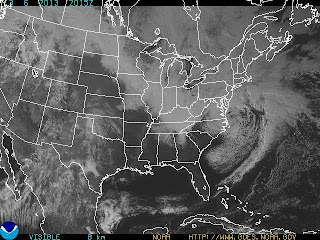
When I checked the site before I sent out the link this afternoon, I saw that the last post was about the upcoming storm Sandy. And here we are, not 5 months away from that "Frankenstorm" and less than a month after the Blizzard that Closed Connecticut that another is on the horizon.  At this rate, we'll be shoveling snow until after Easter!

But hope springs eternal and Daylight Savings Time is just around the corner...this weekend in fact! So, keep your boots out, lay in plenty of wood for the fire, pick up a couple of good books and have the candles and flashlight batteries ready. Stay safe and warm and see you next week!


Friday, October 26, 2012

And now for the weather...

Oh, no...not again!

There are several websites that can keep you up to the minute on the latest storms and weather occurrences - if you need them.
Or, as my mother always used to tell us, if you want to know what the weather is, stick your head out the window!

The National Oceanic and Atmospheric Administration - http://www.weather.gov/

The Weather Channel - www.weather.com

Accuweather - for hourly forecasts - www.accuweather.com

The Weather Underground - http://www.wunderground.com/

And just in case: The CL&P outage map!


Thursday, October 18, 2012

Fall Foliage and other trips

There are still some beautiful days ahead and the internet is a great resource for planning a day trip - or checking out the peak viewing areas. This is a short list, but go ahead...try out your new skills!

The State of Connecticut DEP Fall Foliage site - maps, suggestions and leaf peeping tools.

The Weather Channel Fall Foliage site - Discover peak viewing times for nine U.S. regions, including New England, with our color maps

The Fall Foliage Network (of course there's one!) -  The Foliage Network was developed to provide accurate foliage information for various locations across the United States.

And just because I wanted to include the site since we're talking about traveling - Road Scholar.  
This is the former Elder Hostel program, the not-for-profit leader in educational travel since 1975, offers 6,500 educational tours in all 50 states and 150 countries.

Thursday, September 13, 2012

New Semester, New Look!


Welcome! I hope you enjoy getting up at the crack of dawn to come to class! When is the last time you've done that?

We will use this blog to discover some links, post some pictures or just experiment with internet resources and services. You can "follow" it, post comments on it or link to it. Hopefully you know what all those terms mean!

First off - a survey. You will complete a short survey to give me an idea of what you're looking for. This class will be a combination of presentation and hands-on learning, plus, I hope, much class contributions.

Ready? First you all need to log on to your web-based email account. (You know what that is, right? :)

Friday, April 13, 2012

Play Time!

Let's spend a little time doing some "research." Or as I like to call it - play time. Playing with the internet, especially with a helper at close hand, will give you some time to really explore the things you want to explore without feeling like you're going to do something wrong. Trust me, you won't break the internet!

One thing I'd like to show you as you explore is this function: Open Link in New Window (or Tab)
When you find a link you'd like to explore, use your right click menu to check it out without losing your original location.
Hover the mouse over the link (use this one: http://pinterest.com/ )
Right click the mouse

Choose Open Link in New Window
View new link...close when done.
Easy Peasy!
You try it...we'll explore some of the links on this blog today. 


Thursday, March 15, 2012

Welcome Spring, Welcome Class!

Hello all!
Welcome to another OLLI semester! I'm happy to be with you all this early morning and beginning our journey together through the Internet. This class will be best experienced with your input - please don't hesitate to contribute, ask, suggest or point out. I'll be handing out a short survey to you today so we can focus our attention more closely on what you're wanting to explore. Here are a few things that I am thinking of:


I'm counting on you to bring your interests and expertise to this class...it should be fun!

Friday, October 21, 2011

Spending a little more time with Picasa


First of all, we're going to make sure you all have the program on your computer. If not, click on the Picasa link to the right.
I copied a file of pictures into your My Pictures folder that we can use to play around with Picasa today. It will be fun!
This link will tell you more about Picasa's features - http://picasa.google.com/features.html

Click here for a video introduction on You Tube.

Friday, October 14, 2011

I'll Show You Mine If You Show Me Yours

These days, it's rare to have someone hand you an actual photo of, say, their new grandson. More than likely they are showing you the dozens, if not hundreds, of digital photos on their cameras. Or iPods. Or cell phones. With the internet you can see even more photos of the little darling's every move with photo sharing.

Friday, October 7, 2011

Don't Believe Everything You Read on the Internet!

Welcome back! Help yourself to a piece of chocolate and roll up your sleeves - today we're going to check out some sites on the Internet and learn how to determine if what they're selling is anything we're interested in buying!
You will get a handout with some helpful indicators to look for when doing Internet research. You may not need to check all of these items all of the time, but once you begin to look for certain things, you'll begin to do it naturally.

Ready? Let's check out some of these web sites:
 RYT Hospital

 Garden help and information

CNN

NeuroGenesis

Women & AIDS


Other aspects of the web page to consider:

Objectivity
  • Is the bias explicit or hidden?
  • Does the identity of the author or sponsor suggest a bias?
  • How does the bias impact the usefulness of the information?
Clarity
  • Is the information clearly presented?
  • Is the text neat, legible and formatted for easy reading?
  • If there are graphics, do they add to the content or distract?
  • If there are advertisements, do they interfere with your ability to use the page?
  • Are the pages well organized?
  • Are there mistakes in spelling or word usage?
Accessibility
  • Does the site load quickly?
  • Can you move around the site easily?
  • Is there a text-only alternative for the visually-impaired?

For international and new domain names and extensions, go to:
Country extensions - http://www.norid.no/domenenavnbaser/domreg.html?sort=name
New domain names - http://www.internic.net/faqs/new-tlds.html

Adapted from Lesley University - Evaluating Web Sites

Friday, September 23, 2011

The survey says...

Glad to see you back again! We're going to take a look at some organizing techniques today and explore some of the places that you wrote that you are interested in. Like Facebook. Here is a previous post that has a couple of links for us - previous post. (I love citing myself!)


I think I sent all of you the link to this blog so that you can access it at home - but if I didn't, just let me know.

Friday, September 16, 2011

Welcome to the Fall Semester!

And welcome to Not Your Father's Internet! This class will provide you with an opportunity to explore the applications and functions of the internet in a guided -- and hopefully fun -- environment. For the first class, we'll just get to know each other, find out what you came for and begin our exploration.
The first place we'll explore is this blog - I will post links and updates periodically here. You can access it from your home computer, too. And you'll probably want to after you see this video - so you can show your friends. If you haven't seen it already!


I'm looking forward to a great semester!

Friday, May 20, 2011


Flowers in Black and White - straight from Picasa!
Posted by Picasa

Pics to Play With!

Here are a few of my pictures that you can download and play with.
Click on the picture - it will open in a new window. Right click on the picture and choose "Save Image As" and it will take you to a location to save it. Choose a name for the file or leave it as is. Click Save.
Click on the Back button to return to the Blog site - and repeat for any other pictures you want to download!


Friday, May 6, 2011

Right Click

Using the right click button on the mouse gives you further options in whichever context you are working in. The example above shows the menu for when you click on a hyperlink. The top option, "Open Link in New Window" lets you open a link for another web page while staying on the current page. This is handy when you are exploring links in a list, like the one above, or links that are embedded in an article, like the example below.

The right click menu is available in most applications and functions. On a Mac, you can access the right click menu by holding down the CTRL button and clicking the mouse.

Friday, April 29, 2011

Ready for Facebook?


Today we'll explore the social networking site Facebook. There are lots of reasons to sign up just as there are lots of reasons not to. We'll try to get to them all! (But you'll probably think of more!)

Here is a link to one tutorial I found online from a Social Networking Series - A Basic Introduction for Nonprofit Use Facebook Tutorial  It's a PDF file, but should open in a browser window. (You know how we techie teachers throw around the word should!)

There are links to tutorials built right into Facebook too, but sometimes they can be, well, too technical!
So, here we go...the chocolate bag is open and the computers are running...what more could we need?

Friday, April 15, 2011

Research


Or, if research sounds too hard, then - Play time.
This is how the kids learn...by being on the computer hour after hour and learning by default. (There are lots of discussions to have about this and we can have one or two of them, but for now we're just going to go with it.)

One site that we can explore is this one - TIME magazine's 50 Best Websites page.

Monday, April 4, 2011

How are we doing?

We're two weeks in and I want to know how you're all feeling about things. In all classes there is a spectrum of skill and comfort levels when learning about the internet - and all it has to offer. Think of this class as a "lab", where you can come in and experiment with some facilitation. Even though it's an eight-week class, that's really not enough time to cover everything, so we'll cover a smorgasbord of things...things you've indicated that you'd like to learn more about.

Another thing I read in the surveys is that most of you would just like to become more comfortable using the internet- and your computers. Again, hopefully that's what this class will do for you. If you don't have a Facebook page and a Blogger account by the end of class, don't worry! Not everyone will. But if you stick it out and gain a little more confidence about what you want to do and have a little more information about how to do it, then you'll be successful!

As always, if you're having some difficulties or any questions that you don't feel comfortable asking in front of the class, you can always see me before or after class. And there's always email!

You're all doing a great job! See you on Friday!